

Why a Mac app
You should not need a Windows VM to measure a plan.
Estimators who work on a Mac have spent years borrowing a desktop takeoff tool that was designed somewhere else, or bouncing PDFs into a browser tab that forgets the rest of the bid. Construction Takeoff is the native app for that desk.
Mason built it after about 10 years in construction, the last 5 estimating and project managing, plus about 10 years of development. The category innovated about 20 years ago and then waited for someone to take macOS seriously. This is that attempt: takeoff, model, and estimate in one Mac workspace, with AI only as a reviewed assistant.
What the Mac app does today
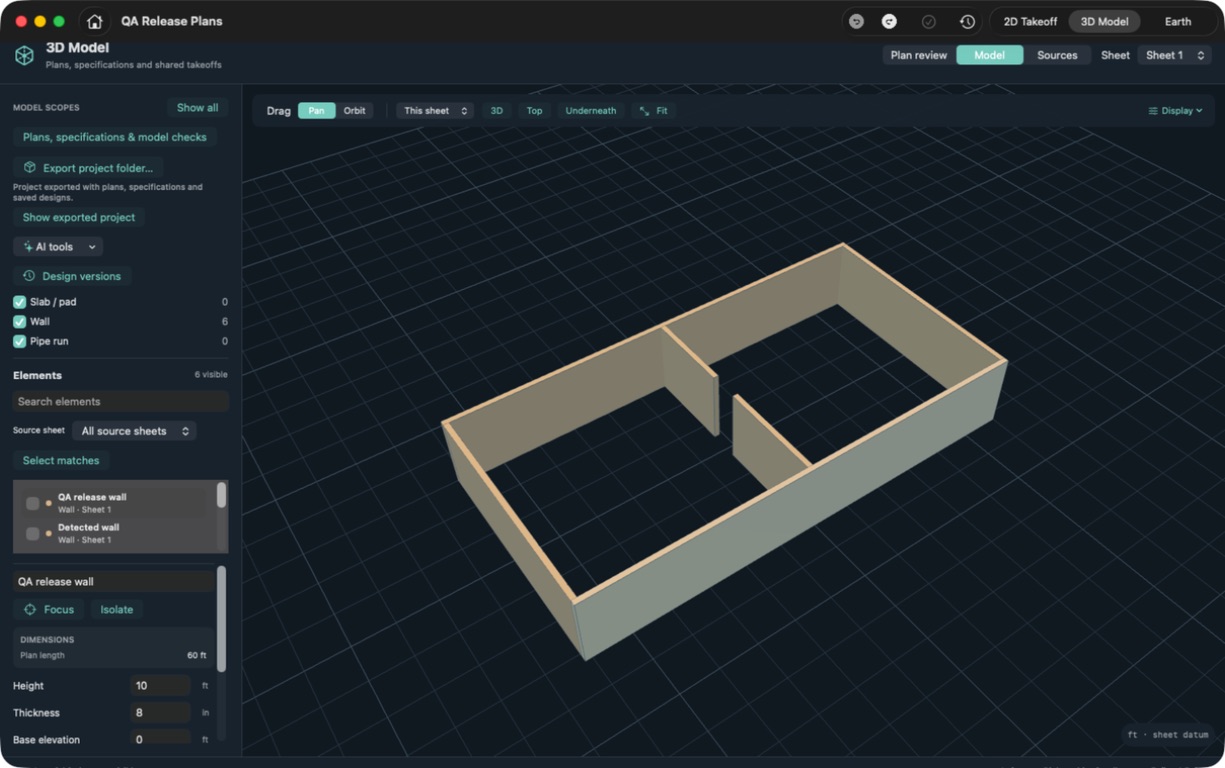
More than a flat plan.
Measure and price
- Import PDF plans and verify the scale.
- Measure lengths, areas, and counts.
- Link bid items to their source measurements.
- Read unit price next to production and duration.
See the work in context
- Build and inspect supported walls, slabs, and pipe in 3D.
- Show a registered plan layer under the model.
- Stitch adjoining sheets into a roll plot.
- Compare owner quantities with measured takeoff.
Feature availability follows the current App Store release. Walkthroughs on the homepage were filmed in an October 2026 development build; some clips may differ from the version you download today.
Mac and browser
Use the Mac app for the full desk. Try the browser sample for free.
Get Construction Takeoff from the App Store when you want 3D modeling, plan overlays, roll plots, and the connected estimate. Takeoff Bid Cloud is a separate early-access browser workspace for PDF takeoffs, private saved projects, and AI-assisted measurement review. It is $20/month by invitation. It does not yet include all of the Mac app's workflows.
If you are on a Mac, start with the desktop app. If you want to click a plan in a browser first, open the free sample. Same product family, different maturity.
AI on the desktop
A companion can propose. The app still waits for you.
A compatible external AI client and the local companion can inspect linework and prepare takeoff measurements. You review the drawing, scale, and result in Construction Takeoff before those quantities move into the estimate. That is the same rule as the browser: AI handles the counting, you keep the judgment.
See the AI connection guide · How AI estimating stays reviewable
Questions estimators ask
A few useful details
Is Construction Takeoff a native Mac app?
Yes. Construction Takeoff is built for macOS and distributed on the App Store. It is not a Windows program running in a virtual machine.
What can I do on Mac that is not in the browser yet?
The Mac app is the fuller product today: 3D modeling, plan overlays, roll plots, and a connected estimate. The browser is early access for PDF takeoffs and AI measurement review.
Does the Mac app work with AI?
A compatible external AI client and the local companion can inspect linework and prepare measurements. You review the drawing, scale, and result in the app before relying on the quantities.
Is there a browser option if I am not on a Mac?
Yes. Takeoff Bid Cloud is $20/month by invitation and includes a free sample you can open in a browser.