

Why this exists
Estimating software innovated about 20 years ago, then stalled.
Most estimators still do the same loop: open a PDF, calibrate a scale, trace every run, type quantities into a spreadsheet, then hope the price still matches the plan. The tools got digital. The work did not get lighter.
Mason built takeoff.bid because that loop was in the way of the work. The useful change is not another menu. It is letting a machine do the grunt work (count, trace, propose) while the estimator keeps the parts that lose money if they are wrong.
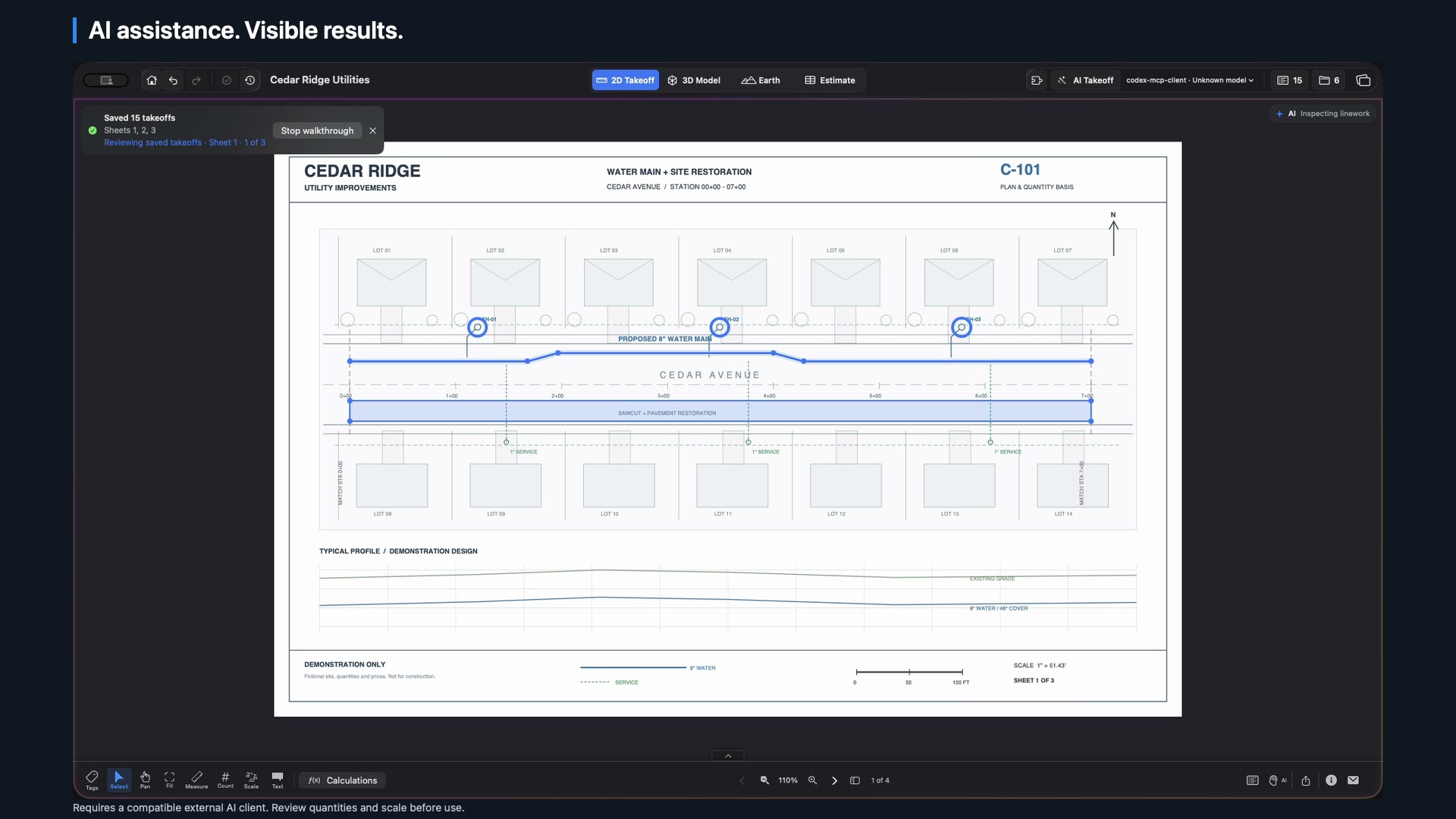
That split is the product. AI proposes measurements. You review the drawing, the scale, and the result before the quantity lands in the estimate. The plan stays one click away from the price.
What AI does, and what it does not
AI handles the counting. You keep the judgment.
Let the assistant prepare the takeoff
- Inspect linework on a calibrated sheet.
- Propose lengths, areas, and counts.
- Hand you a reviewable change, not a silent edit.
Keep the calls only an estimator can make
- Confirm the scale and the sheet join.
- Decide inclusions, exclusions, and waste.
- Set production, crew, and the markup that becomes the bid.
In the browser, a compatible assistant connects through MCP, reads the project you opened, and prepares measurement proposals. You check them in Takeoff Bid Cloud before they apply. On Mac, a compatible external client and the local companion can inspect linework the same way. Nothing is trusted just because it is on the plan.
How it works
From plan to priced work, in one workspace.
- 01
Open the drawings
Use Construction Takeoff on Mac, or upload a PDF in the browser (up to 256 MiB and 500 sheets). Set the scale and keep the sheet in view.
- 02
Measure, or let AI propose
Trace lengths, areas, and counts yourself, or review an assistant's proposals. Accepted measurements stay with the project.
- 03
Price the same quantities
On Mac, linked bid items keep their source measurements. Check unit price, production, and the bid against the plan they came from.
Who it is for
Estimators who still want to see the work.
takeoff.bid is for contractors and estimators who bid from PDF plans and want the takeoff, the estimate, and the source drawing in one place. It is a fit if you already think in LF, SF, and EA, and you are tired of exporting a quantity that you cannot walk back to the sheet.
It is not a black-box bid. The current browser version is early access: PDF takeoffs, private saved projects, and AI-assisted measurement review. It does not yet include every Mac workflow (3D modeling, plan overlays, and roll plots live in Construction Takeoff today).
The Cedar Ridge Utilities drawings on this site are a fictional sample: water main, hydrants, and pavement restoration. Quantities, rates, and production assumptions are illustrative.
Questions estimators ask
A few useful details
What does AI actually do in takeoff.bid?
A compatible AI assistant can inspect plan linework and prepare measurement proposals. You review the drawing, scale, and result before those quantities become part of the estimate.
Does the estimator still check the work?
Yes. AI handles the counting. You keep the judgment: inclusions, exclusions, production, crew makeup, and the number you actually bid.
How much is the browser version?
Takeoff Bid Cloud is $20/month, billed monthly in USD. Early access is by invitation. The sample takeoff is free and stays on your device.
Is this the same as a takeoff and bidding platform?
It is one workspace for takeoff, estimate, and bid. Takeoff measures the plan. The estimate prices labor, equipment, material, and production. The bid is the number and proposal you submit. See the takeoff-to-bid workflow.