

What automated takeoff means here
The machine traces. You still own the quantity.
Automated takeoff is a faster first pass on a PDF, not a finished bid. takeoff.bid lets you measure by hand and also connect a compatible AI assistant that inspects linework and prepares takeoff measurements. You review every proposal against the drawing and the scale before it becomes a quantity you would price.
That is the difference between a tool that helps and a tool that hides. If a length is short, you see it on the sheet. If a hydrant was counted twice, you catch it before it hits the estimate. The software does not get to be right in private.
Mason spent about 10 years in construction, the last 5 estimating and project managing, and about 10 years writing software. The stall in this category was never a lack of buttons. It was that the estimator still had to do the grunt work, then re-check it in a second program.
A working loop
Calibrate, propose, review, keep.
- 01
Calibrate the sheet
Import the PDF and set the scale from a known distance or the printed scale bar. A takeoff is only as honest as this step.
- 02
Propose the measurements
Trace lengths, areas, and counts yourself, or let a connected assistant prepare proposals from the linework on that sheet.
- 03
Review before they apply
In the browser, proposals wait for you. Accepted measurements stay with the project, ready to revisit or export.
- 04
Carry the quantity forward
On Mac, linked bid items keep their source. Use Show takeoffs to return to the geometry behind a price.
Where you run it
Browser for a first look. Mac for the fuller desk.
Takeoff Bid Cloud is the invite-only browser workspace: private projects, PDF upload, calibration, lengths, areas, counts, and AI-assisted measurement review. It is $20/month, billed monthly in USD. Direct uploads are limited to 256 MiB and 500 sheets. The public sample is free and stays on your device.
Construction Takeoff on the Mac is the fuller desktop product today. Use it for 3D modeling, plan overlays, roll plots, and a connected estimate. The browser is early access and does not yet include all of those workflows.
If you want a guided look at either, book a demo. If you want to click a plan right now, try the free sample.
What you can measure
Lengths, areas, and counts on the same sheet.
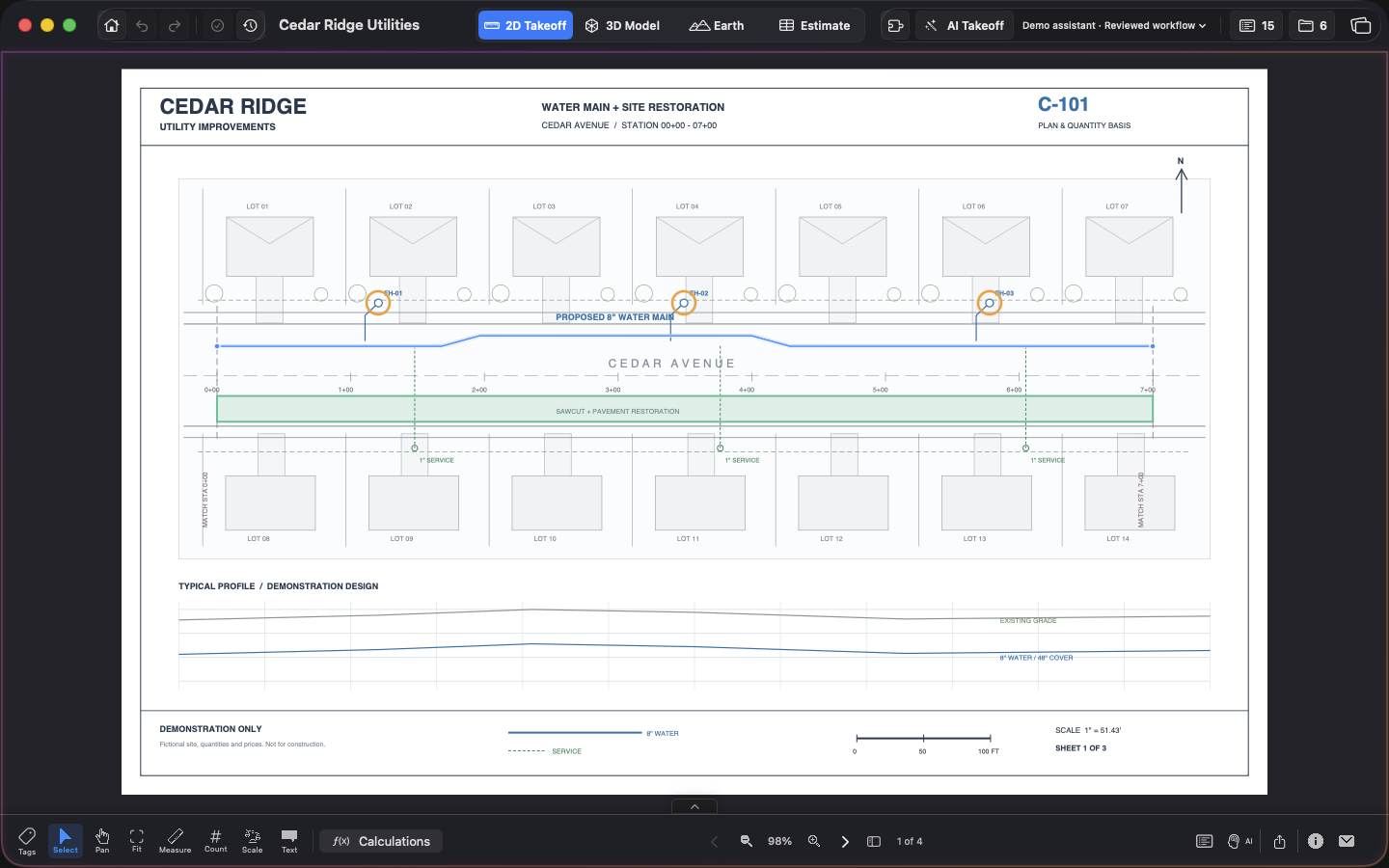
Utility work is a good test of automated takeoff because the units do not match. Pipe is linear feet. Restoration is square feet. Hydrants are each. The sample project on this site, Cedar Ridge Utilities, is fictional, and it uses exactly that mix: 2,106.36 LF of water main, 9 hydrants, and 40,500 SF of pavement restoration. Those numbers are illustrative.
Keep takeoffs organized by type so a later estimate can price them without losing the sheet they came from. That is the start of a takeoff-to-bid workspace, not a pile of unmarked polylines.
Questions estimators ask
A few useful details
What is automated takeoff?
Automated takeoff uses software, and often an AI assistant, to prepare lengths, areas, and counts from a PDF plan so you spend less time tracing and more time checking.
Do I still calibrate the scale?
Yes. Set and verify the scale on the sheet. A wrong scale makes every proposed length and area wrong, so review stays with you.
Can I take off plans in a browser?
Yes. Takeoff Bid Cloud lets you upload PDFs, calibrate a sheet, measure lengths, areas, and counts, and review AI proposals. The web app is $20/month by invitation. The sample is free.
What happens after the takeoff?
On Mac, linked estimate items keep their source measurements. You can move from a bid item back to the geometry on the plan and compare owner quantities with measured takeoff.