

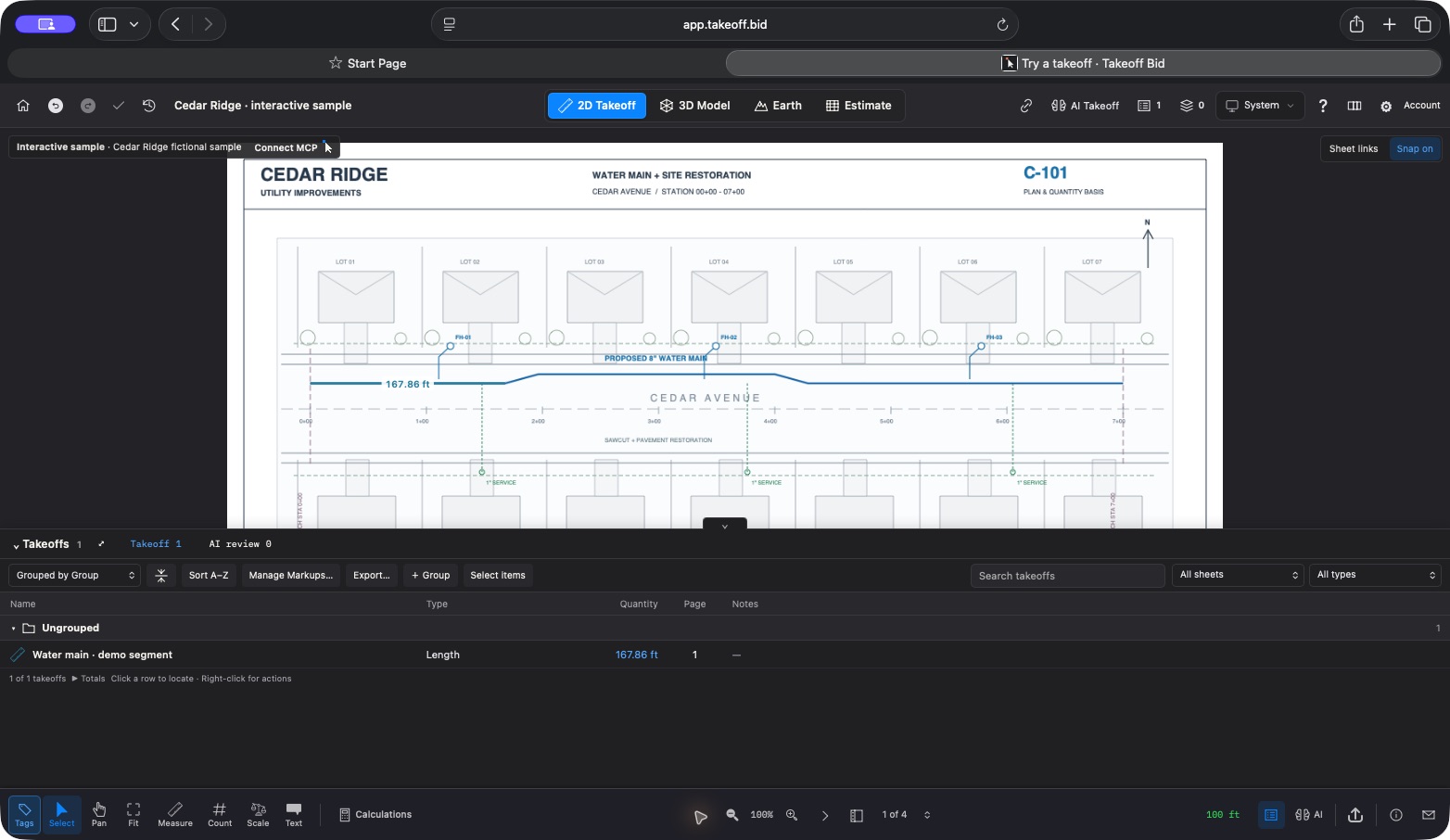
If you know the Mac app as Construction Takeoff, here is the update: we’re bringing the product under the takeoff.bid name. The website is takeoff.bid, and the browser workspace lives at app.takeoff.bid.
Over the past couple of weeks, the work has centered on a practical question: how do we keep the drawings, the quantities, and the decisions behind a bid together?
Your plans now have a cloud workspace.
The browser app supports private saved projects, plan uploads, and takeoffs you can return to. Cloud access is optional. Your existing Mac projects stay local unless you choose to upload a copy.
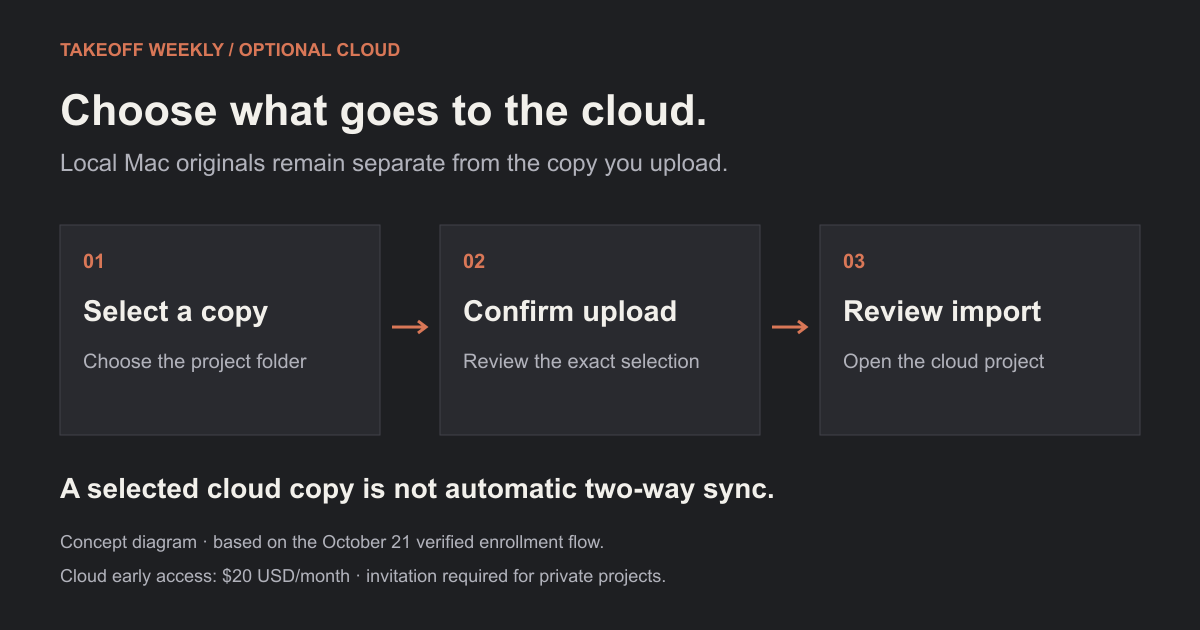
Signing in or subscribing does not upload your library. The local original and the cloud copy remain separate; automatic two-way synchronization is not available.
Browser early access is $20 USD per month, by invitation. You can explore the free sample before requesting access.
Less hunting through the drawing set.
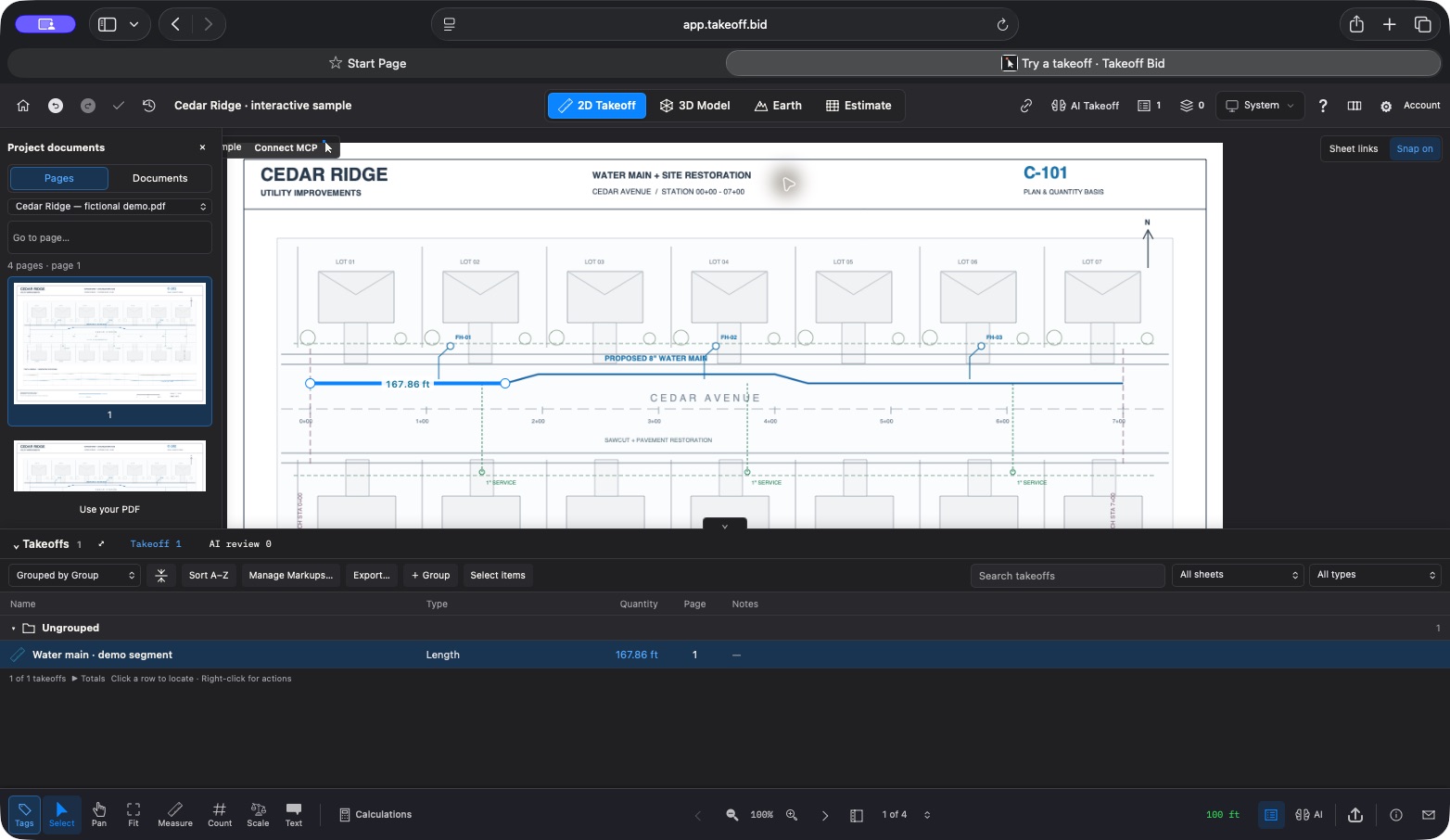
Page thumbnails and document navigation sit beside the plan. The document library adds folders, filename and folder search, sorting, page previews, and a before-and-after review of filing changes.
Saved roll plots are easier to find from Home. The roll-plot workflow can suggest CAD joins, show the seam against the original sheets, and export the saved assembly as a vector PDF. You still inspect the join before saving it; scanned or ambiguous sheets can need manual alignment.
Keep the difference visible.
Recent estimate work adds review of takeoff quantity changes before a refresh, flags differences from owner quantities, and records a searchable change history.
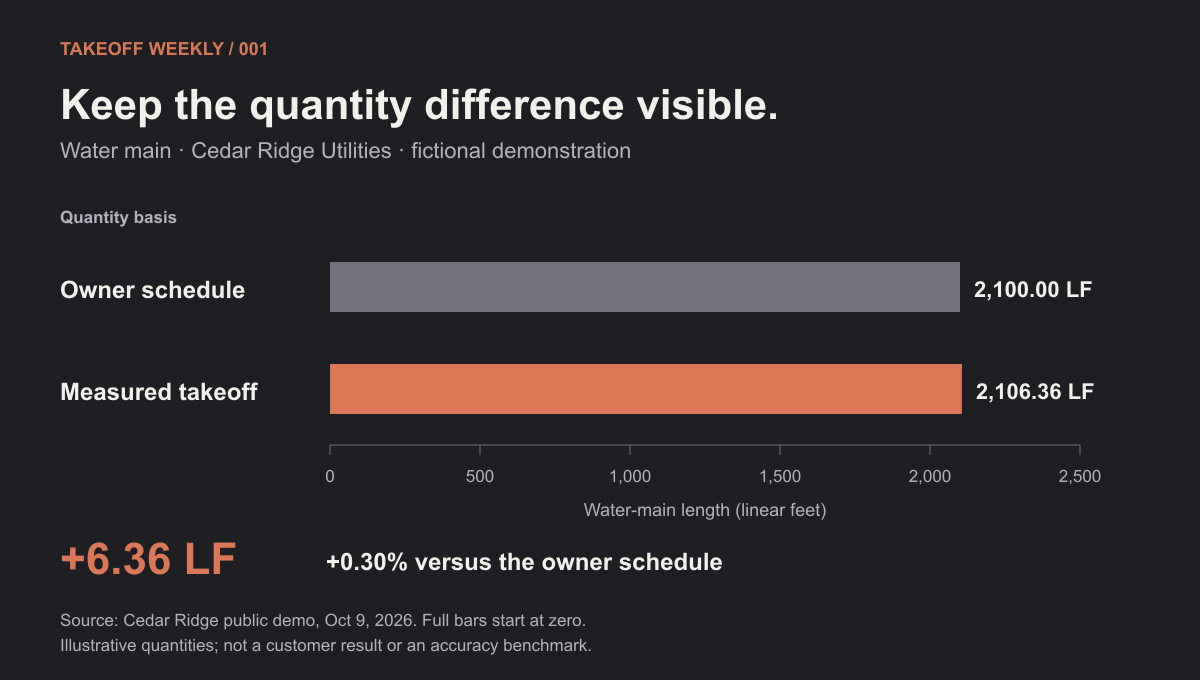
The useful question is what caused the difference—and which quantity belongs in the bid. Watch that comparison inside the software:
Text alternative to the walkthrough
The owner schedule lists 2,100 LF of water main. The demo compares that schedule with 2,106.36 LF measured from the drawings, showing how the selected quantity basis affects the estimate. The project, quantities, and rates are fictional.
Another useful visual: production assumptions
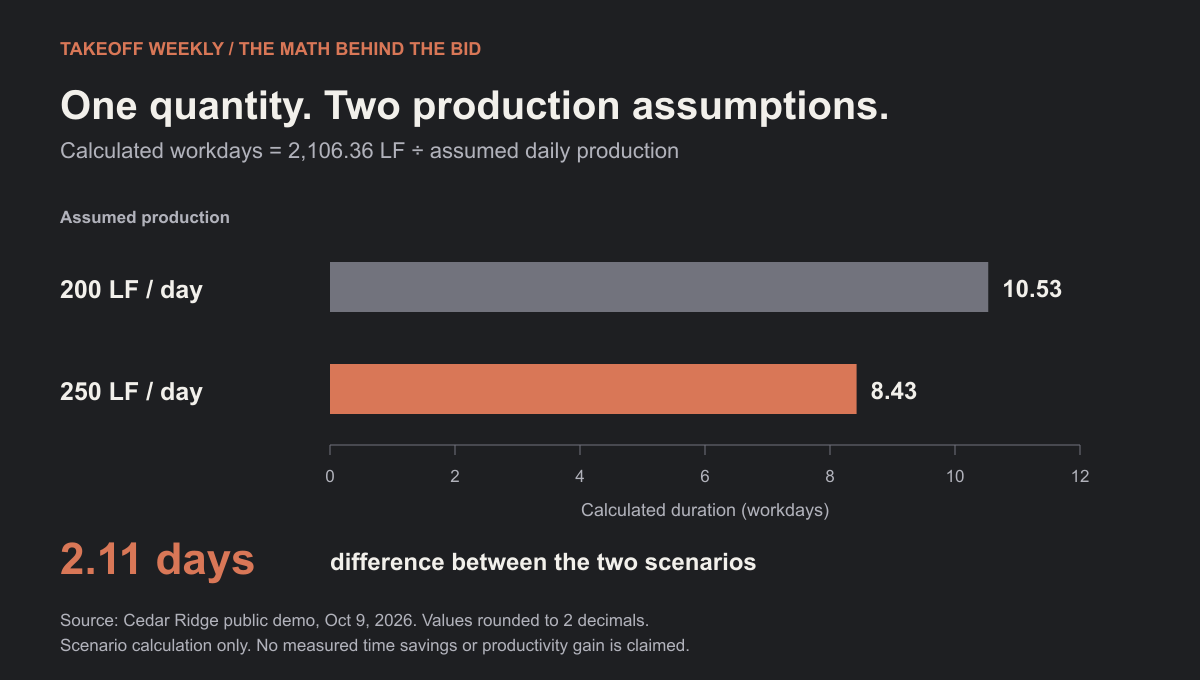
This is a calculation from assumed production rates, not measured time savings.
Small changes that help the work.
- Photos and documents on the planInsert supporting material, resize it, and rotate it while keeping the drawing in view.
- AI reviewInspect proposed work before applying it. Review and roll-plot handoff improvements make it easier to reach the relevant result.
- Earth viewPlan takeoffs connect to map placement, with reconciliation and export support.
- Project detailsSearch and edit name, client, and job number, with separate details history.
These are browser release highlights. Mac and web workflows are still converging; a development build is separate from an App Store update.
Let your AI take the first measurement.
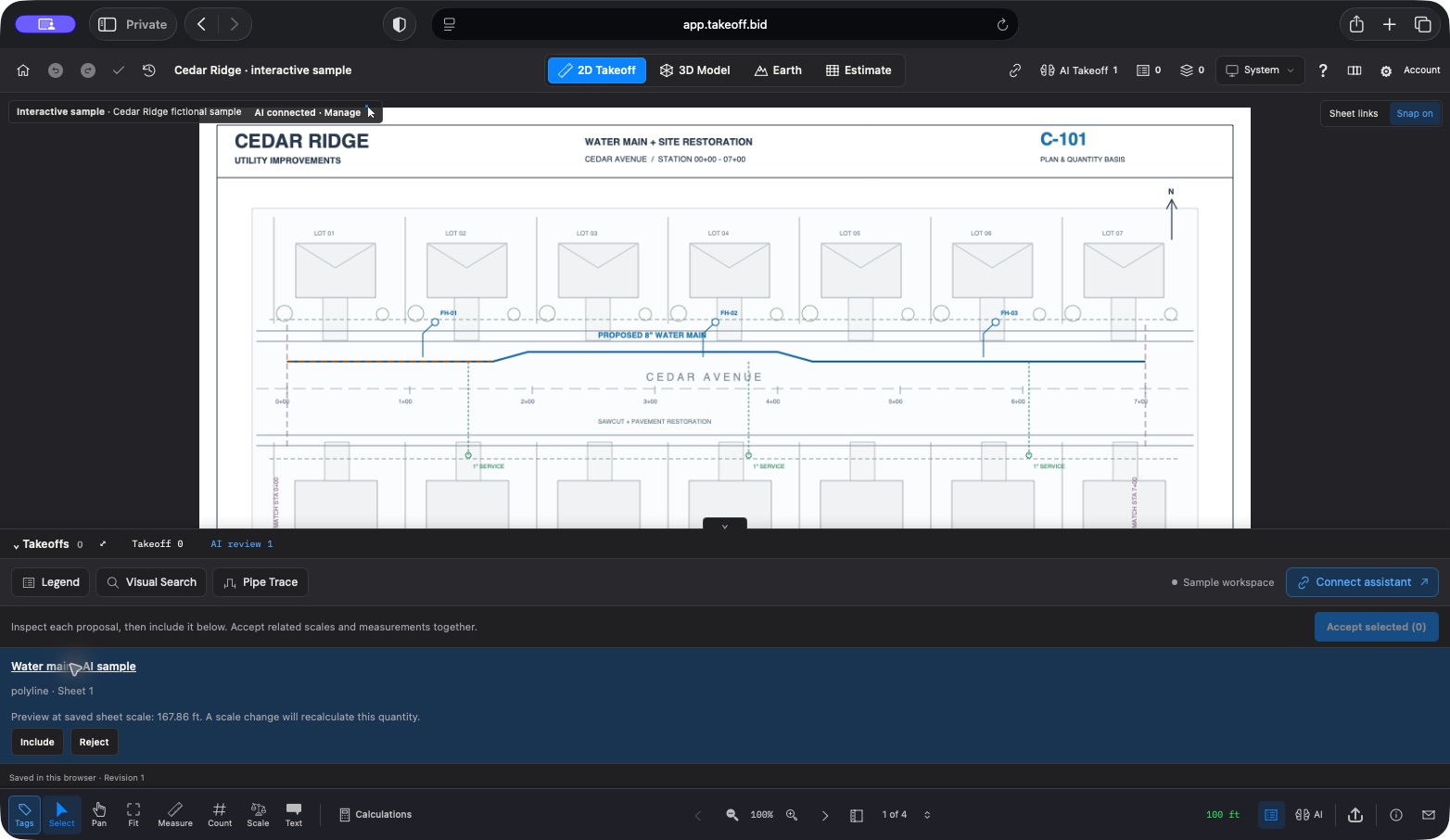
Create a temporary MCP connection in the free sample and add its URL to your AI. Ask it to inspect the drawing and propose a short takeoff. Review the line in Takeoff, accept it, then ask your AI to read back and export the quantity.
No Takeoff account or payment required. Keep the sample tab open, and use an AI client that supports custom remote MCP connections. The temporary link expires after two hours; your sample edits stay in this browser.
Connect your AI to the sample →Book a walkthroughWhat would you like to see next: roll plots, cloud project copies, or the estimate workflow? Tell me what you would like to see.
— Mason