

Automated takeoffs and estimates in your browser. $20/month
Request access Try the free sampletakeoff.bid in your browser · $20/month
See the scope.
Build the bid.
Upload your plans, set the scale, and measure lengths, areas and counts. Quantities flow into the estimate. takeoff.bid runs in your browser for $20/month, with no project or upload quotas.
Built by Mason Earl. Shaped by the work of estimating.
Also available as a Mac app

Available in takeoff.bid for Mac
Go beyond a flat plan.
See the shape of the work.
Keep the drawing in reach.Get the Mac app
From drawing to dimension
Give the scope
another dimension.
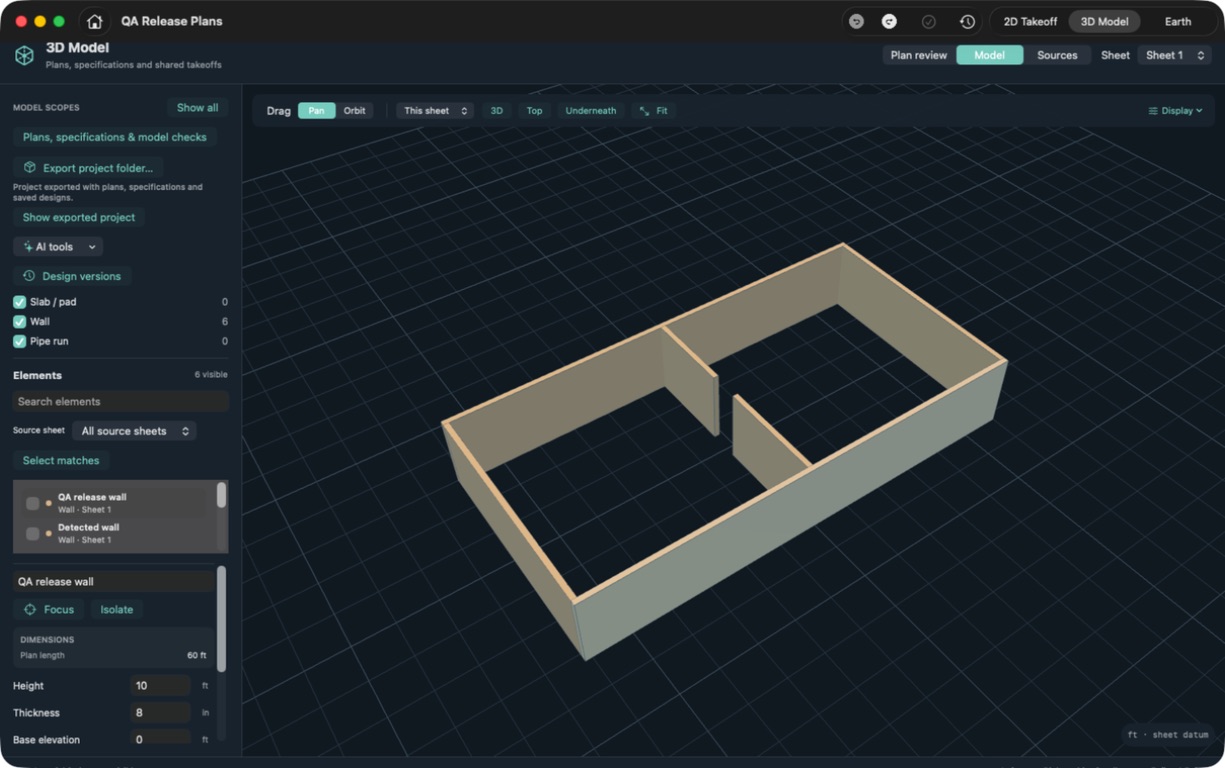
Build and inspect supported walls, slabs, and pipe runs in 3D. Check dimensions and elevation alongside your plan measurements.
- Move between 2D and 3D views
- Inspect and adjust model elements
- Save a design version to revisit
Keep the source in sight
The model.
And the plan beneath it.
Show a registered plan layer beneath a supported 3D model. Adjust its opacity to compare the model with the source drawing.
- Show or hide the plan reference
- Adjust the plan layer's opacity
- Review alignment in context
Follow the work across sheets
Several sheets.
One continuous view.
Stitch adjoining sheets into a roll plot. Review their joins and follow your takeoffs across the combined plan.
- Bring adjoining sheets together
- Check the alignment at each join
- Review scope across the full run
Use the Mac app for these workflows today. The browser version, takeoff.bid, is a separate release.
Inside the software
Less explaining. More showing.
Short walkthroughs. Actual app recordings.
See what happens between the plan and the price.
From quantities to a priced bid
See unit pricing, adjust production, and compare the bid using owner quantities or measured takeoff.
This clip could not load. Use the MP4 download link to open it directly.
Read the walkthrough
See the total and price per foot. Adjust production and understand the duration. Compare owner quantities with measured takeoff. Follow the bid back to its source.
On-screen titles and music; no spoken narration.
Release preview Filmed October 2026 in a development build using fictional demo drawings. Features may differ from the current App Store release.
takeoff.bid in the browser
Your plans.
Your AI.
The same workspace.
Keep your projects in private cloud storage, measure in the browser, and let a connected AI assistant help with the takeoff. You review every measurement it proposes.
- 01
Upload and save your plans
With a subscription, save private cloud projects. Upload PDFs, set the scale, and measure lengths, areas, and counts.
- 02
Connect your AI assistant
MCP gives a compatible assistant access to your projects so it can read plans and prepare measurement proposals.
- 03
Review the work together
Check proposals in the browser before applying them. Accepted measurements stay with the project, ready to revisit or export.
The web app is $20/month, billed monthly in USD. Try the free sample or book a walkthrough.
Direct PDF uploads: up to 256 MiB and 500 sheets each. The browser sample is free and stays on your device. A subscription is required to create and edit private cloud projects.
How to connect your AI assistantOne project, from plan to bid
Meet Cedar Ridge Utilities.
The whole scope.
In the same place.
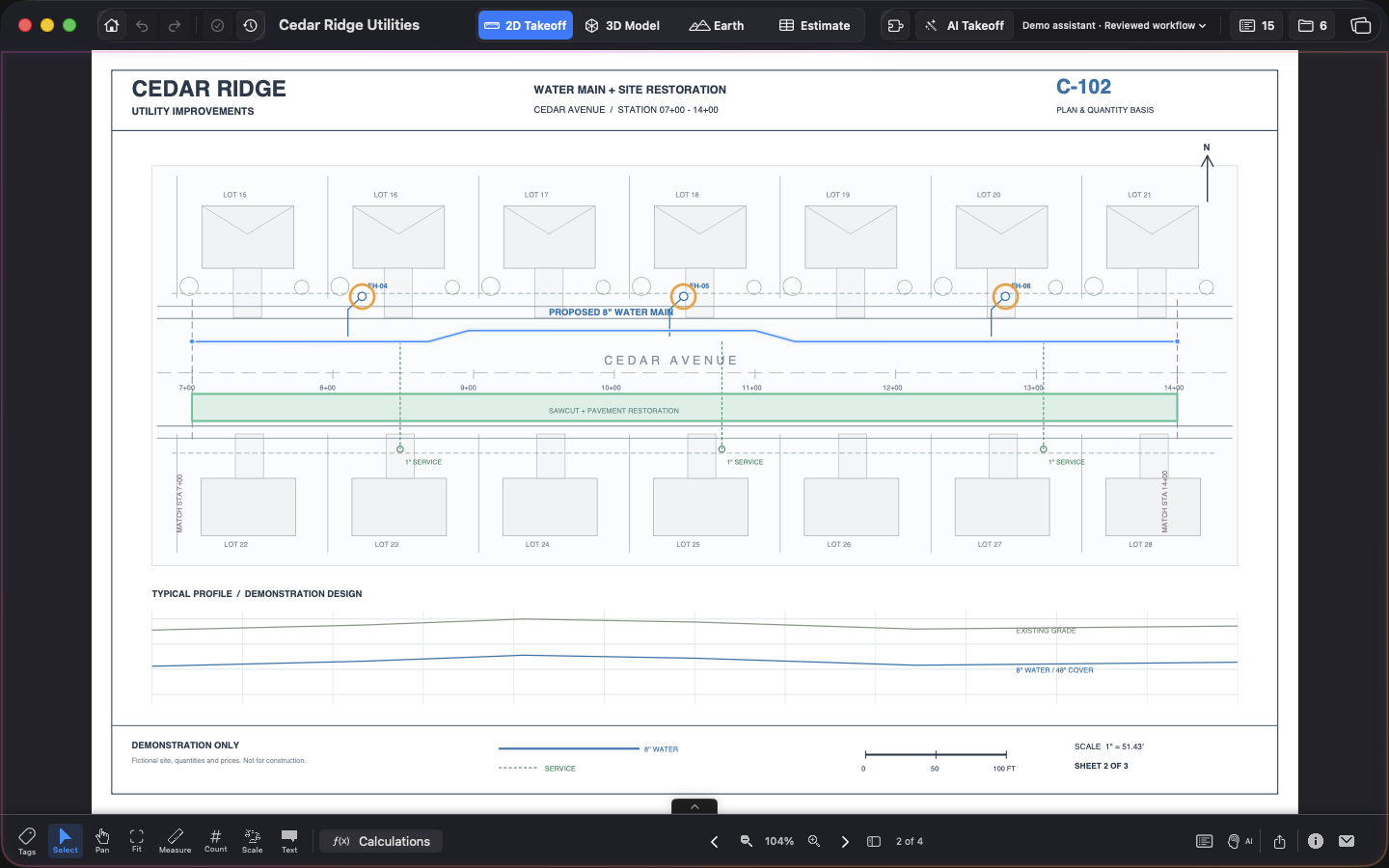
Water main, hydrants, and pavement restoration. Follow the same scope through the drawings, measured quantities, and estimate.
- Water main
- 2,106.36 LF
- Hydrants
- 9 EA
- Pavement restoration
- 40,500 SF
An original fictional project with three utility sheets and an owner bid schedule. Quantities, rates, and production assumptions are illustrative.
A few useful details
On your Mac today.
Building for the cloud.
Explore the full Mac workflow, or try the first browser takeoffs. Book a demo if you'd like a guided look at either.
Read the app guideShould I use the Mac app or the cloud version?
Get takeoff.bid from the App Store for 3D modeling, plan overlays, roll plots, and connected estimating. takeoff.bid in the browser is a workspace for PDF takeoffs, private saved projects, and AI-assisted measurement review. It does not yet include all of the Mac app's workflows.
Can I take off plans in my browser?
Yes. takeoff.bid lets you save private projects, upload PDFs up to 256 MiB and 500 sheets each, calibrate a sheet, measure lengths, areas and counts, and export quantities. Connect a compatible AI assistant through MCP and review its proposed measurements in the browser. The current web version is $20/month. The sample is free. Accounts are individual today; team workspaces are still in development.
What can I measure?
Import PDF plans, set and verify the scale, then measure lengths, areas, and counts. Keep utility runs, restoration, and other scope organized by takeoff type.
How does the estimate connect to the plan?
Linked bid items keep their source measurements available. Use Show takeoffs in the estimate to return to the geometry behind a quantity and check it in context.
Where does AI fit in?
A compatible external AI client and the local companion can help inspect linework and prepare takeoff measurements. You review the drawing, scale, and result in the app before relying on the quantities.
Are these real bids?
The videos use Cedar Ridge Utilities, an original fictional project. The 3D screenshot uses synthetic review geometry. Overlay and roll-plot illustrations explain the workflow. None of these examples is a client's bid; quantities, prices, and production rates are illustrative.
Can I try the same drawings?
Yes. Download the Cedar Ridge plan set and open it in takeoff.bid. The PDF contains three utility sheets and a sample owner bid schedule.
Take the next step